In this class, I’ll explain what keywords are best for SEO, how you should prioritise SEO keywords using information architecture that addresses the user’s search intent. And I’ll show you how to do all of this with just one Google Ads tool.
Doing SEO on a website is impossible without proper information architecture, and it’s the very first task we tackle in my SEO course. Not only will it help you organise your SEO keywords and create quality content, but you’ll also get relevant insights to use in your Google Ads campaigns, as well as hashtags, titles, and descriptions for social media like YouTube, Instagram, or TikTok.
Understanding how your users search gives you better insight into what content to create in order to solve their needs or problems. At the same time, it will allow you to build a stronger SEO content strategy, which we’ll cover in the next class.
What are keywords and why are they important?
SEO keywords are the terms that users type into search engines when looking for information online. The most popular search engine is Google, but there are many others like YouTube, Yahoo or Bing.
Depending on the country, the most popular search engines can vary and guess what, the search intent can change too because each country uses its own words to refer to different things, especially when the language changes.
Think about where your target audience is. Then, you need to create content that’s better than the rest and that includes those SEO keywords, so search engines will show it when someone searches for those specific SEO keywords.
How to prioritise SEO keywords with information architecture?
Information Architecture is the organisation and structuring of data within an online project, usually a website. Its role is to improve SEO alongside the user experience, making it easier to navigate your site and encouraging users to take the actions you want them to, which we call conversions.
Most of the projects I receive do not have a web architecture, and as you can see, it is essential for applying digital marketing techniques and avoiding one of the most common questions, such as how many internal links per page SEO.
Types of SEO keywords to consider
We have already mentioned that SEO keywords are the terms users search for, but we can divide these terms into two main groups, either by the number of characters or by the search intent behind the keyword.
Short tail keywords are usually single words. They are the most searched and expensive keywords on the internet because they are very general, and thousands of users are looking for them.
Long tail keywords, on the other hand, are longer and more detailed terms that aim to solve more specific questions. They usually have fewer searches, making them easier to rank for and more affordable if you want to run ads.
SEO keyword Search intents
SEO keyword intent refers to what the user expects to find when they type a word they associate with their solutions or problems. Let’s talk about the biggest search engine, Google. It offers personalised results depending on the keyword you use, your past searches, your location, and other factors.
Each keyword and its variations can show you different types of results. Here are the types of SEO keyword intents:
Branded keywords are search terms that are directly linked to a brand. It’s usually better to avoid them because if you are not the brand the user is looking for, they might quickly leave your site, which can harm your rankings for that keyword.
Transactional keywords are terms users type in with the intention of making a purchase, whether for a service or a product.
Informational keywords are used when there is no clear intention to buy yet. They are more about consideration; users are still evaluating how to solve their problems before making any decisions, meaning they are one step behind transactional intent.
Local search keywords, as the name suggests, have a local intention. Users typically use them to find services in their area, and they are generally the easiest type of keywords to rank for compared to the others.
How Do I Find The Best Keyword to Use?
I will show you how I conduct keyword research. We will use Google’s official tool, the Google Ads Keyword Planner. This tool isn’t new; it has been around for many years but is now part of Google Ads. If you want to learn more, follow this link.
How to Use Google Keyword Planner for SEO?
These are the key data points relevant to our search for the Best Keyword to Use. Any data we do not mention here might still be useful later on for creating Google Ads campaigns.
- Keyword (By relevance) shows the keywords you added in your initial search, as well as similar or recommended keywords suggested by the search engine.
- Avg. Monthly Search shows how many people search for that term over a set period. This is my favourite option for organising the terms and later selecting the best ones.
If this is your first time logging into Google Ads, the search volumes will appear in ranges like 10k – 100k. However, once you start running ad campaigns, the data will become more precise. (Still, the information we have is more than enough to get started.)
Now that I have explained this, you can start searching by using the terms related to the services you offer and reviewing the results you get. Remember to organise by Avg. Monthly Search and write down all the keywords with high search volumes that you think are right for your project.
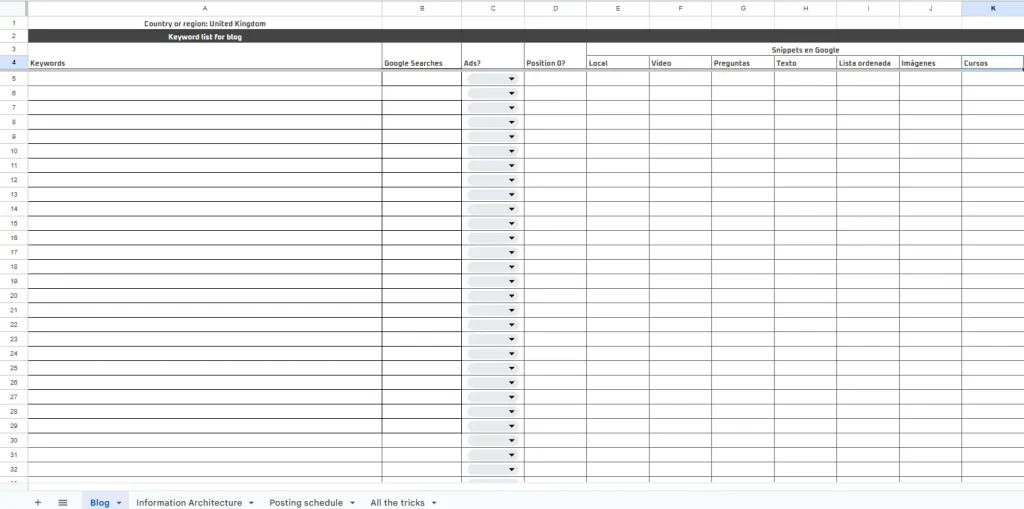
You can start noting all the keywords you consider suitable in a document like this one (which is only available if you join a guided class with me). Remember I mentioned information architecture? Well, this is exactly where you should add that information, and I will show you how right now.
How to make information architecture ux
Once you have finished selecting the keywords for all your services or products, it is time to organise them. It is completely normal to have around 70 to 100 terms. These lists can be much larger depending on the size of your business.
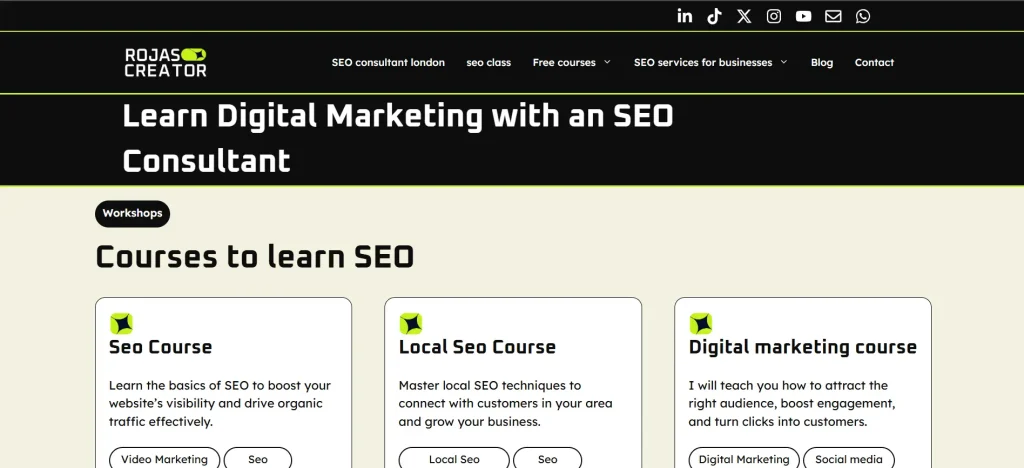
To improve your website’s UX, we will organise all the terms into three levels. We need to start by assigning a fairly general keyword for each service or category at level one.
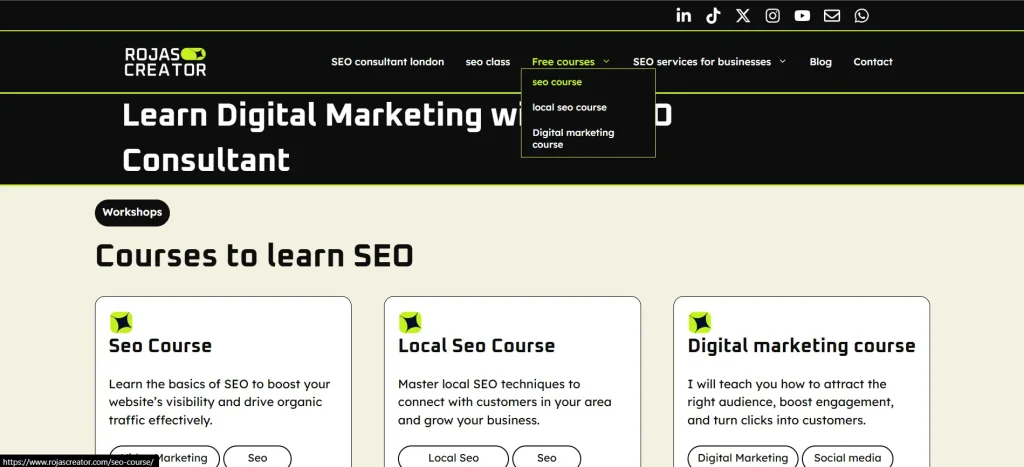
For the services within each category, you should assign more specific keywords. Keep in mind that, for readability reasons, the assigned keyword may differ slightly from the navigation label.
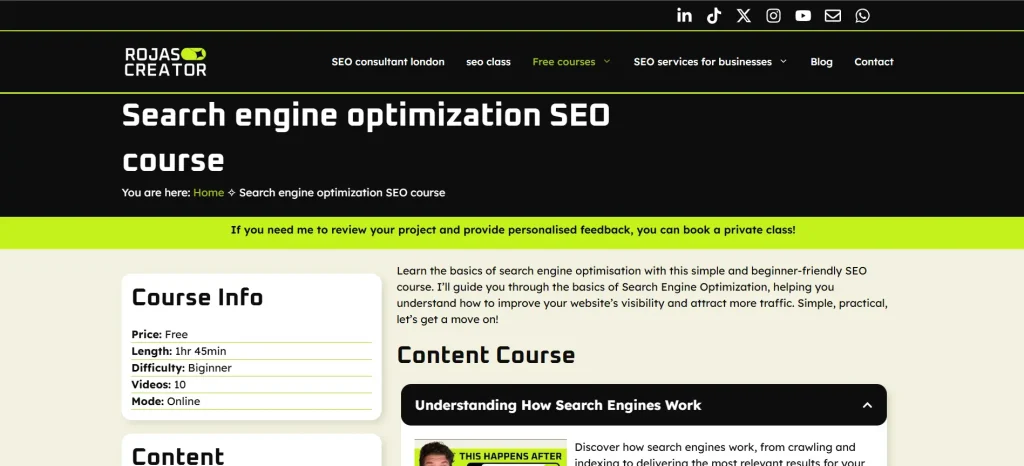
Here you have an example of SEO web architecture using the project rojascreator.com:
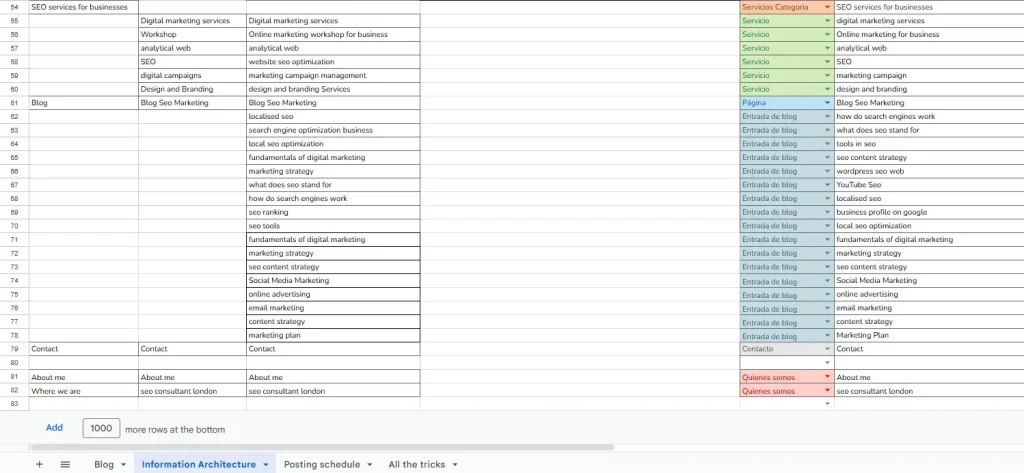
This exercise is one of the most challenging to complete, but it is essential to carry it out at the very beginning of the project because it will allow you to:
- Think the way your client would think, helping you understand your business better by organising information in a simple and logical way for your content.
- Know what your sitemap will look like even before touching a CMS or any web design software.
We should not take any further action until this is ready, because this is the foundation for creating a website that is both SEO and UX friendly.
Match your content to search intent
Once you finish selecting keywords for each service, the result will be a UX-friendly menu with each page having its assigned keyword. We must then create content for each of these pages, and it should include:
- At least 800 words optimised for SEO
- At least one image that loads quickly on the website
It is advisable to write the content alongside building the page in the content management system, because you need to consider the image dimensions and text sections according to the template you choose.
If you want to design a website, I always recommend creating an example page for each template first, so you can see how the content will look overall before developing the entire architecture. Once you complete level one of the architecture, you can publish your website and submit it to Search Console, so Google can start crawling and indexing your pages.
Ideally, we aim for the web architecture to have around 40 pages, although as I mentioned earlier, depending on the size of your business, your site could easily have more than 100 pages.
All of these pages are optimisable in the future! As they generate data, you will be able to improve them based on real performance, because this exercise is a hypothesis you create using data to lay the foundation for a project with organic traffic.